


Applies to
ApexSQL Doc , ApexSQL Doc for MySQL
Summary
This article explains how to reduce the size of a CHM document.
ApexSQL Doc
Description
When the database developer needs to document a lot of the databases (e.g., one hundred or one thousand), for this process, it will be needed a lot of time and storage space for documentation.
For demonstrative purposes, the AdventureWorks2016CTP3 database will be used. When this database is documented with all database options, the required space for the CHM document is 46MB.
To reduce the size of documentation in .CHM format, uncheck the following options in the Database options tab under Data sources and objects panel:
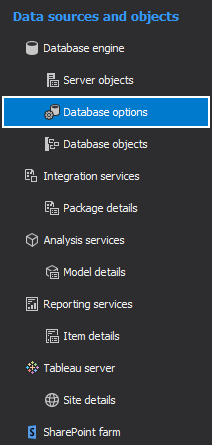
The database options that are checked by default and can increase the size of the CHM documentation are:
- Data definition language (DDL) script
- Transact-SQL syntax highlighting
- Dependency (parents/children) lists/tables
- Include data model diagrams
In order to reduce the size of the CHM document, besides unchecking the above-listed check by default options, be sure that the following database options are unchecked as well:
- System objects
- Documentation of procedure/function result sets
- Explicitly parse database for improved dependency accuracy
- Graphical dependencies
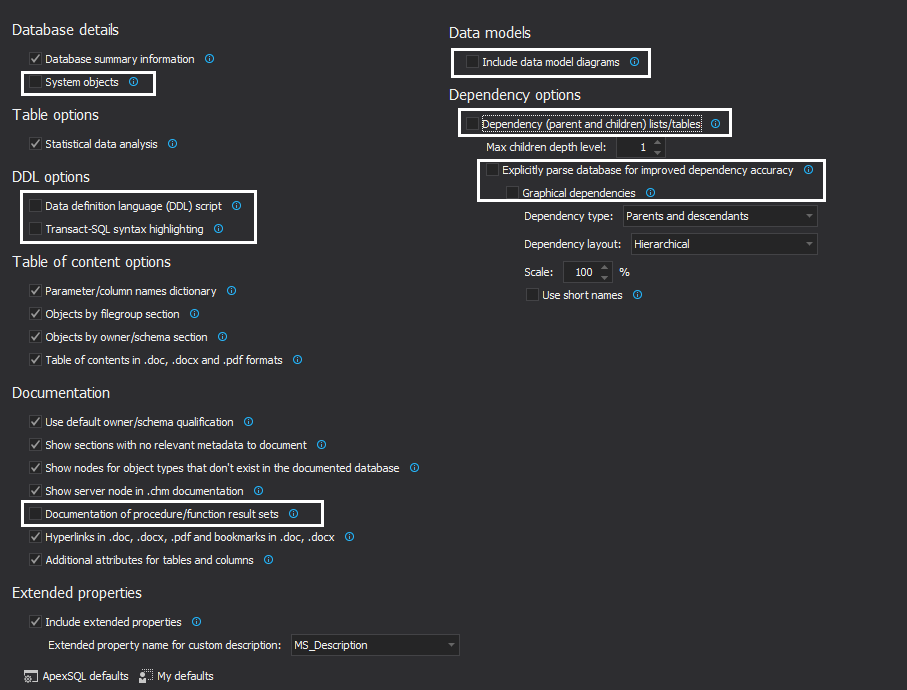
The result of this change is that the generated documentation required space is 1.04MB.
-
Note: Uncheck only database options that are not required to be included in the database documentation.
ApexSQL Doc for MySQL
Description
As for ApexSQL Doc for MySQL in demonstrative purposes, the custom created database will be used. When this database is documented with all database options, the required space for the CHM document is 25MB.
To reduce the size of the documentation for ApexSQL Dco for MySQL, the steps are similar to ApexSQL Doc, click the Database options button from the Database engine tab:
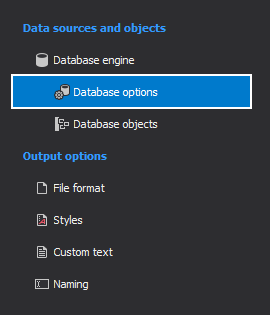
The following database options for ApexSQL Doc for MySQL that can be unchecked to reduce the size of the documentation, and they are checked by default, are:
- Data definition language (DDL) script
- Transact-SQL syntax highlighting
- Dependency (parents and children) lists/tables
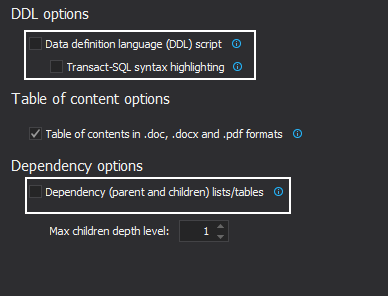
The result of this change is that the generated documentation required space is 0.75MB.
-
Note: Uncheck only database options that are not required to be included in the database documentation.